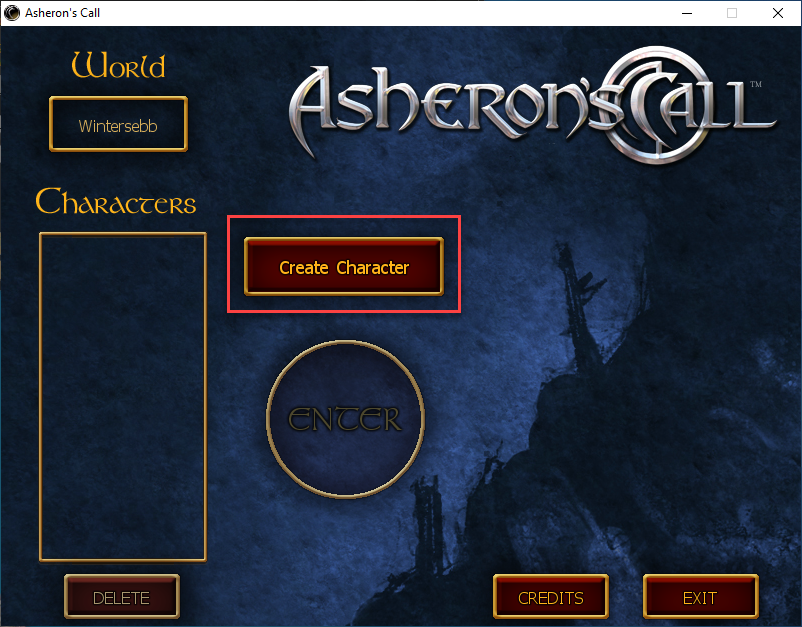
Let's call this Step 10B.
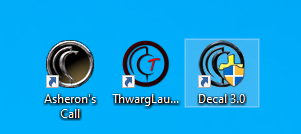
You should have 3 new icons on your desktop.
You will only ever double click ThwargLauncher. Well maybe Decal if it's not running.
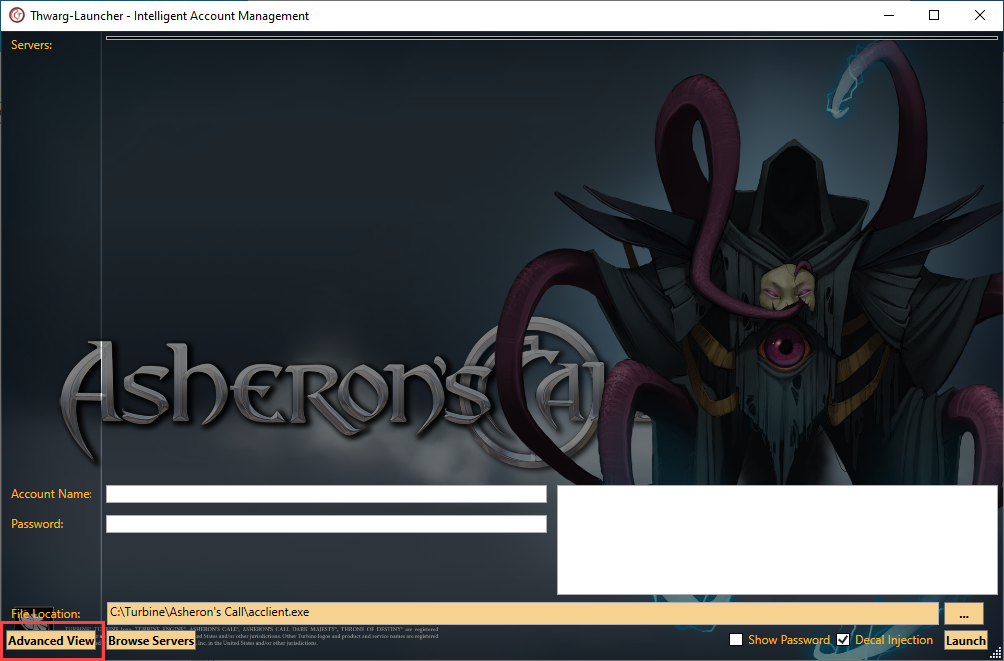
When you first run Thwargle you will have a blank screen. Click on the Advanced View button.
Next we need to add the server. Click Edit Servers. This can be used in the furture to edit any servers you have.
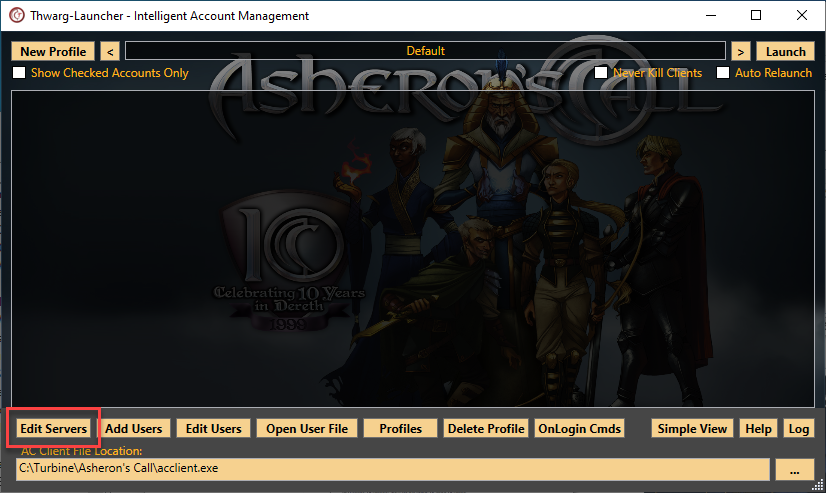
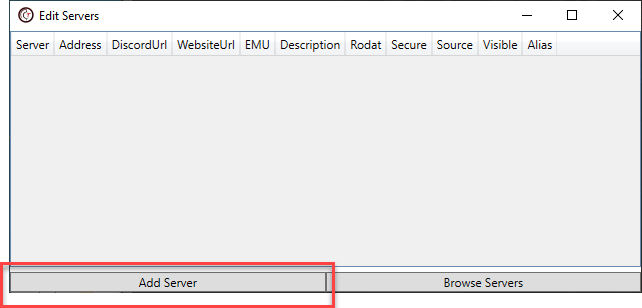
This will bring up a blank list of serves. Click Add Server.
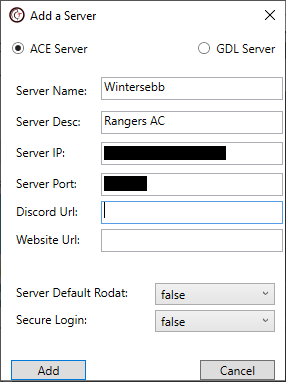
Enter the Server Name EXCATLY as it is below. If it is different the client will crash. The Sever Desc can be whatever you want.
Enter in the Server IP of noneofyourbusiness.... just kidding. Ask your sponsor for this info and the Server Port number. Click add to complete.
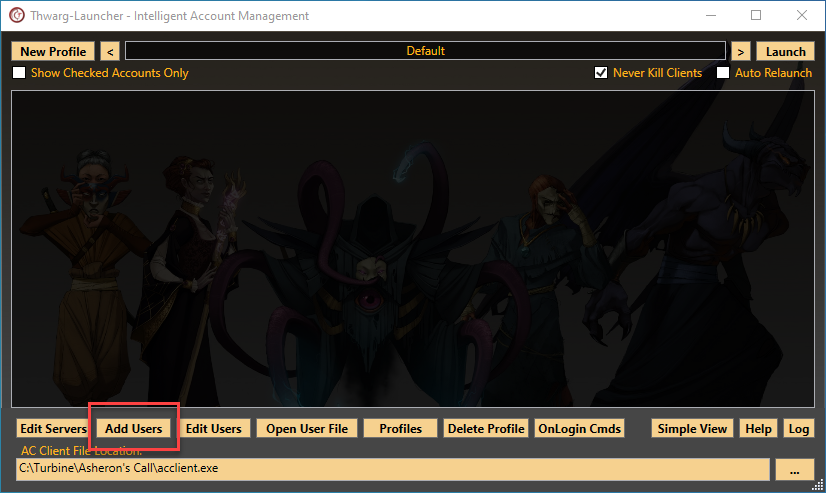
The Advanced View screen will still be blank because we have to enter a User Account. There are no limits to the number of user accounts you can have. Click Add Users.
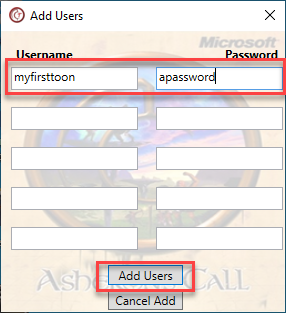
You can enter up to 5 at a time.
Now you will see the Server and your toon. Click the check boxes of the toons you want to launch. Click Launch to start the game.
WARNING : We have seen issues when trying to launch more than 3 toons at one time. It's suggested that if you are running an army to bring in 3 at a time. let them launch to in-game status and then go back and launch 3 more.
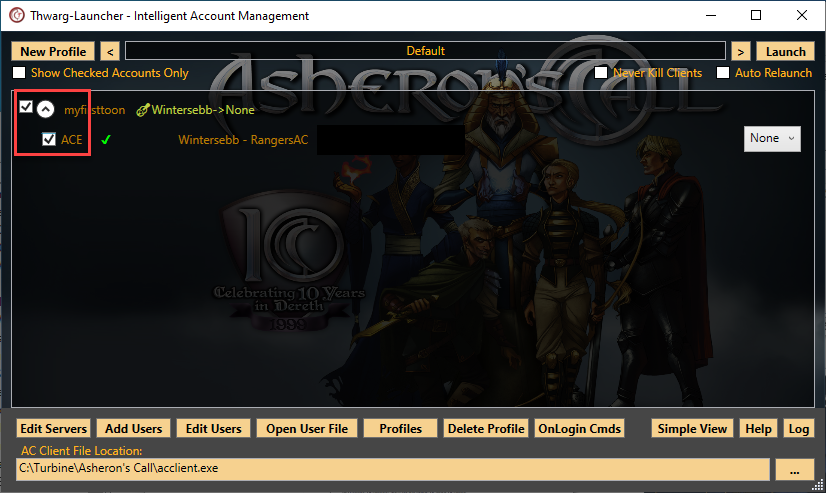
Your in!!! Now create a toon and go kill something.